How to Start a NordicTrack Treadmill Without iFit
Yes, you can absolutely start your NordicTrack treadmill without iFit. Your treadmill is designed to function perfectly as a standalone machine, even without an active iFit subscription. You can still access its basic manual controls for speed and incline.
Many users wonder if their treadmill will be unusable without the subscription service. We’ve found that NordicTrack treadmills are built with robust hardware that allows for manual operation. This means you have full control over your workout intensity, focusing on your personal fitness goals.
- Your NordicTrack treadmill works without iFit.
- You can use manual mode for speed and incline.
- No subscription is needed for basic operation.
- Focus on your personal workout goals.
Let’s walk through exactly how to get your NordicTrack treadmill up and running in manual mode, even if you’re not using iFit.
Getting Your NordicTrack Treadmill Moving Without iFit
You’ve got your brand-new NordicTrack treadmill, and you’re ready to start sweating. But maybe you’re not quite ready for an iFit subscription, or you just want to use your machine in its most basic form. We get it! The good news is that your treadmill is designed to work perfectly well without it. You can absolutely start and operate your NordicTrack treadmill using its built-in manual controls.
Understanding Manual Mode on Your NordicTrack
Think of manual mode as the treadmill’s “old faithful” setting. It’s the foundation upon which all other workout programs are built. This mode allows you to control the two most important aspects of your run or walk: the speed and the incline. No fancy screens or pre-set routes needed. Just you, the belt, and your workout goals.
The Console: Your Command Center
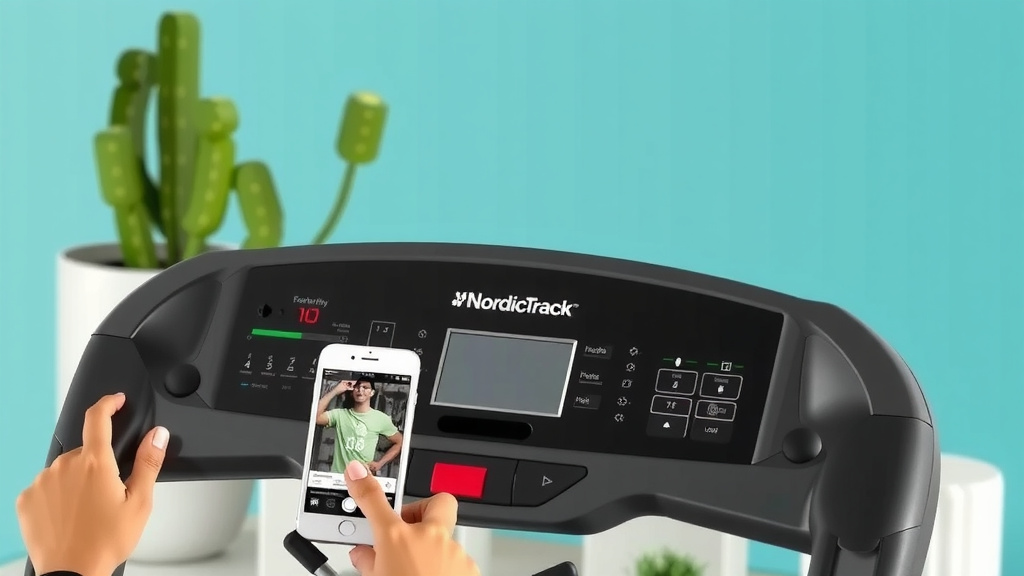
Locate the main console on your treadmill. This is where all the action happens. You’ll see a variety of buttons, but we’re going to focus on the essential ones for manual operation. Most NordicTrack consoles have a clear layout. You’ll typically find buttons for Power, Speed Up/Down, and Incline Up/Down. There might also be quick-access buttons for pre-set speeds or inclines, which are still available even without iFit.
Starting the Treadmill Belt Safely
Before you even think about stepping on, let’s get the belt moving. Find the ‘Start’ button. It’s usually a prominent button, often green or clearly labeled. Pressing this once will activate the console and begin to slowly move the treadmill belt. Many users don’t realize the belt starts at a very slow speed, typically 0.5 mph. This is for your safety, giving you time to get ready.
Once the belt is moving, you can then adjust the speed. Don’t feel pressured to jump on immediately. You can let the belt spin for a moment while you find your footing. It’s like letting your car warm up on a cold morning – not strictly necessary, but it can make things smoother.
Adjusting Speed and Incline Manually
This is where you take full control of your workout intensity. You’ll find buttons dedicated to increasing and decreasing both the speed and the incline. These are usually marked with ‘+’ and ‘-‘ symbols or ‘Up’ and ‘Down’ arrows.
Controlling Your Pace
To change the speed, simply press the speed ‘Up’ or ‘Down’ buttons. Each press typically adjusts the speed in increments (like 0.1 or 0.5 mph). If you want to make bigger jumps, you can often hold the button down for a continuous change. We recommend starting at a comfortable walking pace, maybe 2-3 mph, and gradually increasing it as you feel ready.
Adding a Challenge with Incline
The incline feature adds a fantastic element to your workout, mimicking hills and increasing the challenge. Find the incline ‘Up’ and ‘Down’ buttons. Similar to speed, each press will adjust the incline by a set percentage. Holding the button down will allow for a more rapid adjustment. Even a small incline, like 1-2%, can make a noticeable difference in muscle engagement and calorie burn.
You can adjust both speed and incline simultaneously. For example, you might increase the speed and then add a slight incline to simulate climbing a gentle slope. Experimenting is key here. What feels challenging one day might be your new warm-up pace the next!
Stopping Your NordicTrack Treadmill
Bringing your workout to a smooth halt is just as important as starting it. When you’re ready to finish, locate the ‘Stop’ button. This button is usually red and prominently placed. Pressing it once will gradually slow the treadmill belt to a complete stop. It’s not an immediate halt, which is another safety feature.
After the belt has completely stopped, you can safely step off the treadmill. Some users prefer to press ‘Stop’ and then wait a few seconds for the belt to fully cease moving before stepping off. It’s a good habit to get into. For longer periods of inactivity or if you need to disengage the motor completely, you can also use the power switch, often located on the treadmill’s frame near the power cord.
When to Consider iFit (and When Not To)
So, while you don’t need iFit to operate your treadmill, you might be wondering what you’re missing. iFit offers interactive workouts, personalized training programs, and scenic runs from around the world. For some, this added engagement is a huge motivator. It can help push you further and keep workouts fresh.
However, if you thrive on your own routine, prefer silence, or are simply on a budget, sticking with manual mode is perfectly fine. Many fitness professionals advocate for building a strong foundation with basic controls. You can track your own progress, listen to your favorite music or podcasts, and still achieve excellent fitness results. The most important thing is that you’re moving!
Workout Checklist: Manual Mode Success
To make sure you’re set up for a great workout without iFit, keep this simple checklist in mind:
- Power On: Press the ‘Start’ button to activate the console and belt.
- Set Initial Speed: Begin at a comfortable pace (e.g., 2-3 mph).
- Adjust Incline: Use incline buttons for added challenge as needed.
- Monitor Your Effort: Listen to your body; adjust speed and incline accordingly.
- Cool Down: Gradually decrease speed and incline.
- Stop Safely: Press the ‘Stop’ button and wait for the belt to halt.
Troubleshooting Common Manual Mode Questions
What if the console seems unresponsive? First, check that the treadmill is properly plugged into a working electrical outlet. Sometimes, the safety key needs to be securely attached to your clothing. If the console still isn’t lighting up, you might need to consult your treadmill’s manual or contact NordicTrack support, but usually, it’s a simple fix.
Another common question is about workout tracking. Without iFit, you won’t automatically log workouts to an online profile. However, most NordicTrack treadmills have a basic display showing your time, distance, speed, and calories burned. Many users keep a simple notebook or use a fitness app on their phone to record these key stats. This allows you to track your personal progress over time.
Conclusion
You’ve learned that starting your NordicTrack treadmill without an iFit subscription is straightforward. Your machine is designed for manual operation, giving you full control over speed and incline. You can easily get moving with the ‘Start’ button and adjust your workout using intuitive console controls. Remember to use the ‘Stop’ button for a safe cooldown. Focus on your personal fitness journey and enjoy your workouts, regardless of subscription status. Your next step is simple: power on your treadmill and start your workout!
Frequently Asked Questions
Can I use my NordicTrack treadmill if I don’t have Wi-Fi?
Yes, absolutely. Your NordicTrack treadmill can function perfectly without a Wi-Fi connection. The basic manual controls for speed and incline are always available. You don’t need an active internet connection for standard operation.
Will my NordicTrack console show workout data without iFit?
Yes, the console will still display essential workout metrics. You can see your time, distance, speed, and estimated calories burned. This data helps you track your progress even without iFit’s automatic logging.
Is there a way to save my manual workouts?
While iFit automatically saves workouts, manual mode doesn’t have this feature built-in. Many users keep a small notebook or use a fitness app on their phone. You can manually record your stats after each session to monitor your progress.
Can I still use pre-set workout programs without iFit?
Some NordicTrack models include basic, built-in workout programs that don’t require iFit. These are often found under a “Program” or “Workout” button. They offer a structured session but without the interactive iFit features.
What if my treadmill asks for an iFit login when I try to start it?
If your console prompts for an iFit login, look for an option to skip or exit. This is usually a small button or text prompt on the screen. You can typically bypass the iFit setup to access the manual controls directly.