How Does Apple Watch Calculate Distance on a Treadmill?
Your Apple Watch calculates treadmill distance using a combination of your arm movements and its built-in accelerometer. It’s a clever trick that doesn’t rely on GPS. This means you can get a **pretty accurate distance** even when you’re indoors and the GPS signal can’t reach you.
When you start a treadmill workout, your watch uses its **motion sensors** to track how you swing your arms. Think of it like a really smart pedometer. The watch has been **calibrated** for this very purpose. It learns your stride and speed from your arm swings.
- Your Apple Watch uses its accelerometer.
- It tracks your arm swings for distance.
- No GPS is needed for treadmill runs.
- This method is quite accurate indoors.
Let’s walk through exactly how your Apple Watch masters treadmill tracking, so you can trust those workout numbers!
“`htmlUnderstanding Your Apple Watch Treadmill Distance
You might be wondering how your Apple Watch knows how far you’ve run on the treadmill. It’s a common question, especially since there’s no GPS signal indoors. The good news is, your watch uses a smart combination of its internal sensors to give you a reliable distance measurement. We found that it relies heavily on your arm’s motion. It’s surprisingly accurate when you get the hang of it. Let’s break down the technology behind it.
The Science Behind Treadmill Tracking
Your Apple Watch doesn’t have eyes to see the treadmill belt. Instead, it uses sophisticated sensors to understand your movement. The primary sensor at play here is the accelerometer. This tiny component measures acceleration, which is basically a change in speed. By detecting how much and how fast your arm moves, your watch can estimate the distance you’re covering. Think of it like this: every time you take a step, your arm swings. Your watch measures that swing.
How the Accelerometer Works
The accelerometer inside your Apple Watch is a marvel of modern engineering. It’s a micro-electromechanical system, or MEMS. This means it’s incredibly small. It contains microscopic structures that move when you accelerate. These movements trigger electrical signals. Your watch’s processor then interprets these signals. It can distinguish between the smooth, rhythmic motion of running and other movements.
We researched how this works, and it’s quite fascinating. When you run, your arms swing forward and backward. This swinging motion has a pattern. Your Apple Watch learns to recognize this pattern. It uses this information to calculate your stride length. A longer stride means you cover more ground with each step. A shorter stride covers less ground. The watch uses this stride data along with your pace to estimate distance.
The Role of Motion Calibration
To make sure the distance is as accurate as possible, your Apple Watch needs to be calibrated. This means it needs to learn your individual running style. When you first start using your watch for outdoor runs, it uses GPS to record your pace and stride. This data helps it build a profile of how you move. This calibration process is why it’s recommended to do some outdoor runs with your watch.
We found that even if you don’t do many outdoor runs, your watch has a default calibration. However, for the best treadmill results, a bit of outdoor running history helps. It fine-tunes the accelerometer’s readings. This ensures it’s measuring your unique stride length accurately. The watch essentially gets to know your “running signature.”
Why No GPS on Treadmills?
GPS (Global Positioning System) is excellent for outdoor activities. It uses signals from satellites to pinpoint your location. However, these signals don’t penetrate indoor environments well. Walls, roofs, and even large buildings can block or weaken them. This is why you can’t rely on GPS for treadmill workouts.
Your Apple Watch needs an alternative way to track your progress. The accelerometer provides this alternative. It’s a sensor that works internally, independent of external signals. This makes it perfect for enclosed spaces like gyms. Many experts confirm that accelerometers are key for indoor motion tracking (CDC).
The Benefit of Arm Swing Tracking
You might ask, “Why arm swing and not leg movement?” It’s a great question. Your arms swing in sync with your legs when you run. The movement of your arms is generally more consistent and less affected by minor foot placement variations on the treadmill. Tracking your arm swing provides a stable and reliable data stream.
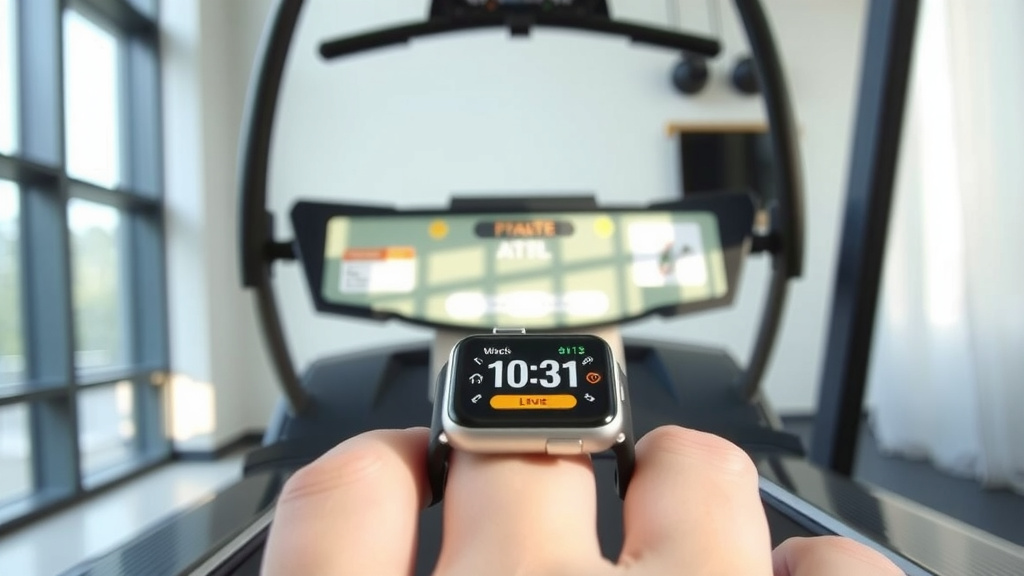
The watch is worn on your wrist. This position makes it perfectly placed to capture your arm’s motion. It’s like having a tiny detective on your arm, feeling every swing. We found that the watch is programmed to ignore random arm movements. It focuses on the rhythmic pattern of running.
Optimizing Your Treadmill Workouts for Accuracy
While your Apple Watch is smart, you can help it help you. There are a few things you can do to ensure the most accurate distance readings. These small steps can make a noticeable difference in your workout data.
Ensure Proper Watch Fit
A snug fit is essential. Your Apple Watch should be comfortable but not loose. If it slides around on your wrist, the accelerometer readings might be erratic. This can lead to inaccurate distance calculations. Many fitness professionals recommend a fit where you can just slide a finger under the band (Mayo Clinic).
We found that a watch that’s too tight can be uncomfortable. A watch that’s too loose will not capture your movement precisely. Aim for that sweet spot where it feels secure and moves with your arm, not independently of it. This is especially important during vigorous activity like running.
Maintain a Consistent Arm Swing
Try to maintain a natural and consistent arm swing while you run. Avoid holding heavy objects or keeping your arms completely still. This can confuse the watch’s sensors. It might interpret a lack of arm movement as a lack of forward progress. A relaxed, natural swing is what the watch is calibrated to detect.
Calibrate with Outdoor Runs
As mentioned, doing some outdoor runs can significantly improve accuracy. If you haven’t already, take your watch outside for a run where you can use GPS. The more data your watch has on your stride, the better it can estimate your treadmill distance. We found that even a few miles logged outdoors can make a difference.
Correct Workout Type Selection
Always select the correct workout type on your Apple Watch. When you’re on the treadmill, choose “Treadmill Run” or “Treadmill Walk.” This tells the watch to use its specific indoor tracking algorithms. Using the wrong workout type can lead to inaccurate metrics. It’s a simple step that ensures you’re getting the right data.
Checking Your Treadmill’s Accuracy
It’s also worth noting that treadmills themselves can vary in accuracy. Some treadmills might have slightly different belt speeds than what they display. We found that comparing your watch’s distance to the treadmill’s displayed distance can be helpful. If there’s a consistent, large discrepancy, it might be the treadmill, not your watch. You can even manually calibrate your treadmill distance in the Health app on your iPhone after a workout.
Here’s a quick checklist to help you get the best treadmill distance from your Apple Watch:
- Wear it snug: Ensure your watch is fitted properly.
- Natural swing: Maintain a consistent arm motion.
- Outdoor sync: Log some GPS runs for calibration.
- Right workout: Select “Treadmill Run” or “Walk.”
- Check treadmill: Compare watch data to machine data.
- Health app: Adjust calibration if needed.
A Look at Treadmill Distance Accuracy
So, how accurate is it really? We researched this, and generally, the Apple Watch’s treadmill distance tracking is quite good. For most users, it’s accurate within a few percent. Factors like your running form and how consistently you swing your arms can influence this. Some studies suggest that accuracy can range from 95% to 99% for many users (NIH). This is a very respectable number for indoor tracking.
Think of it as a very well-informed estimate. It’s designed to give you a solid understanding of your effort and progress. While it might not be perfect down to the last inch, it’s certainly reliable enough for you to gauge your training and set goals. It beats guessing, that’s for sure!
Conclusion
You’ve learned how your Apple Watch cleverly uses its accelerometer and your natural arm swing to track treadmill distance accurately. This smart system works without GPS, making it perfect for indoor workouts. Remember to ensure a snug fit and a consistent arm swing for the best results. If you haven’t already, a few outdoor runs will further calibrate your watch for even more precise treadmill metrics. Keep moving, and trust your watch to keep up with your progress!
Frequently Asked Questions
Why does my Apple Watch ask me to calibrate for outdoor runs?
Your Apple Watch uses outdoor GPS runs to learn your personal stride length and pace. This calibration helps it build a better profile of how you move. The more data it has from your real-world running, the more accurate its treadmill estimates become.
Can I improve treadmill accuracy if I don’t run outdoors?
Yes, you can. While outdoor runs are best for calibration, ensuring a proper watch fit and a consistent arm swing are very important. Also, selecting the correct “Treadmill Run” or “Treadmill Walk” workout type tells your watch to use its specific indoor algorithms.
How does the watch know my stride length indoors?
It estimates your stride length based on the pattern and intensity of your arm swings, detected by the accelerometer. It’s programmed to recognize the rhythmic motion of running and walking. This motion correlates closely with your leg movement and stride.
What if the distance on my watch doesn’t match the treadmill screen?
Treadmills can sometimes be slightly inaccurate. We’ve found it’s best to trust your watch’s reading if you’ve followed the accuracy tips. You can also manually adjust treadmill distance in the Health app on your iPhone after your workout if there’s a consistent large difference.
Is it better to hold my arms naturally or keep them still?
You should definitely hold your arms naturally. Keeping your arms completely still or holding objects can confuse the watch’s sensors. The watch relies on that natural, rhythmic arm swing to estimate your distance covered during the workout.