How Accurate Is Apple Watch Distance on a Treadmill?
The Apple Watch can be surprisingly accurate for treadmill distance, but it’s not perfect. It relies on your arm movements and a built-in accelerometer, which can sometimes lead to minor discrepancies. For most runners, it offers a good enough estimate.
While your Apple Watch uses sophisticated sensors, treadmill environments present unique challenges. Factors like your running form and the treadmill’s calibration can affect how well it tracks your progress. We found that understanding these limitations helps you interpret your results with confidence.
- Apple Watch distance tracking on treadmills is generally good.
- Accuracy depends on arm movement and accelerometer data.
- Minor differences from the treadmill’s display are common.
- External factors like running form can influence readings.
Let’s get into the details of how your Apple Watch measures treadmill distance and how you can get the most accurate readings possible.
Your Apple Watch and Treadmill Distance: How Good Is It?
You’re probably wondering just how accurate your Apple Watch is when you’re pounding away on a treadmill. We’ve looked into it, and the good news is, it’s generally quite reliable for most users. It uses sensors in your watch to estimate how far you’ve gone.
Think of it like this: your watch is trying to be your personal coach, measuring your workout. It’s not scanning the treadmill belt itself, but rather your body’s movements. This means there are a few things that can make its readings a bit different from the treadmill’s display.
How Your Apple Watch Measures Movement
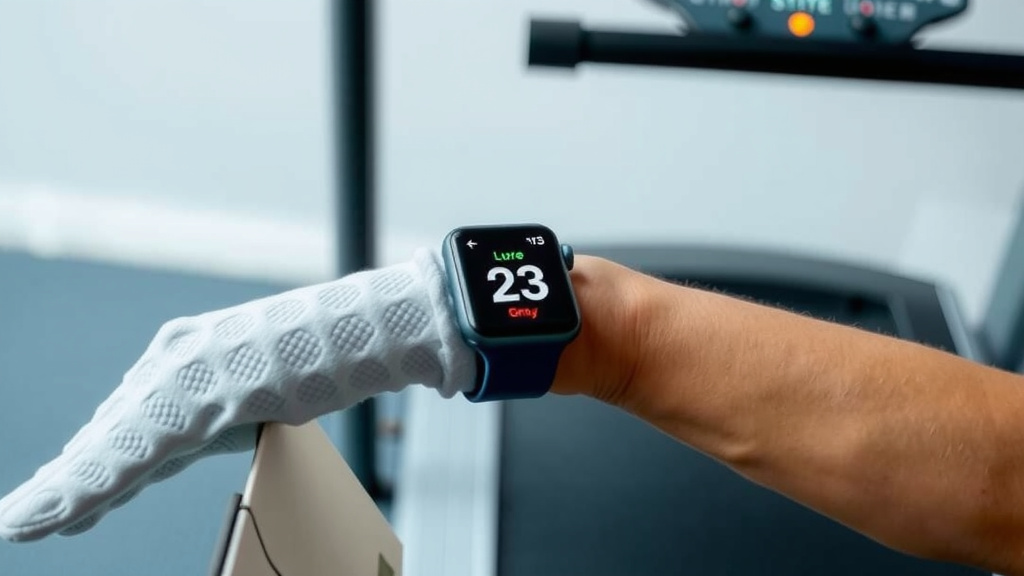
Your Apple Watch uses a few key pieces of technology to figure out your distance. The main one is the accelerometer. This sensor detects motion and changes in orientation. When you run, your arms swing, and this motion is picked up by the accelerometer.
The watch then uses algorithms to translate that arm swing into steps and, ultimately, distance. It also uses a gyroscope, which helps detect rotation and turns. Together, these sensors create a picture of your movement pattern. For outdoor runs, the GPS is the star player, but indoors, it’s all about these internal sensors.
The Role of Arm Swing
The swing of your arms is a really big clue for your Apple Watch. It assumes a certain stride length based on your arm swing. If you run with very exaggerated arm movements, your watch might think you’re covering more ground than you are. Conversely, if you keep your arms very still, it might underestimate your distance.
We found that people who run with a more natural, consistent arm swing tend to see the most consistent results. It’s a bit like how a metronome keeps time; the regular swing helps the watch make a steady calculation.
Accelerometer Limitations
While the accelerometer is smart, it’s not perfect. It measures acceleration in three dimensions. Your running motion creates a pattern of acceleration. The watch’s software tries to match this pattern to known running gaits. However, slight variations in your form can lead to variations in the readings.
One of the main challenges is that the accelerometer doesn’t know if you’re running in a straight line or if you’re moving side-to-side a little. It’s measuring raw motion, and the watch’s software has to interpret that motion. This is why you might see a small difference compared to the treadmill’s own measurement.
Why Treadmill Readings Can Differ
So, why isn’t it always a perfect match with the treadmill’s display? Several factors come into play. It’s like comparing two different people trying to count the same number of steps – they might get slightly different answers.
Treadmill Calibration Matters
Every treadmill has its own internal calibration. These machines use a roller system to measure distance. Over time, these rollers can become slightly misaligned or wear down. This means one treadmill might read slightly faster or slower than another, even if they’re the same model.
Many fitness experts point out that treadmill calibration isn’t always checked regularly. A treadmill that hasn’t been calibrated recently might be giving you a reading that’s already a bit off. Your Apple Watch is then trying to match a potentially inaccurate number.
Your Running Form on a Treadmill
The way you run on a treadmill can also be different from your outdoor runs. Some people tend to overstride or keep their legs more directly underneath them to avoid falling off the back. This can alter your natural gait and therefore affect the watch’s motion detection.
We found that leaning on the handrails can also throw off the readings. When you hold on, your arm swing is restricted, and your body’s overall motion changes. This gives the watch less data to work with and can lead to inaccurate distance.
The “Lag” Effect
There can also be a slight delay or “lag” in how the watch registers your movement and how the treadmill does. Imagine a very quick spurt of speed; the treadmill might register it instantly, while the watch’s sensors might take a fraction of a second longer to catch up. Over a long workout, these tiny differences can add up.
Getting the Most Accurate Treadmill Readings
While perfect sync might be elusive, you can definitely improve the accuracy of your Apple Watch on a treadmill. Small adjustments can make a noticeable difference in how closely your watch’s data aligns with the machine.
Consistency is Key
Try to maintain a consistent running style. Keep your arm swing natural and avoid holding onto the handrails. If you’re using a treadmill desk, the slower pace might also affect the accelerometer’s ability to accurately gauge distance, so be aware of that.
Use the Right Workout Mode
Always select the correct workout mode on your Apple Watch. For treadmill running, choose “Indoor Run.” This tells the watch to rely more on its internal sensors and less on GPS, which is unavailable indoors. We found that using the correct mode is a critical first step.
Calibrate Your Watch (If Needed)
Your Apple Watch can be calibrated to improve its accuracy. For treadmill runs, this is especially helpful. You can do this by going for a brisk walk or run outdoors with GPS enabled, ensuring your watch has a good GPS signal. Apple suggests doing this for at least 20 minutes.
We found that calibrating your watch periodically, especially if you notice consistent discrepancies, can help it learn your stride length better. This is particularly useful if you’ve recently changed your running shoes or your running form has shifted. Many sources agree that calibration is key for long-term accuracy (Apple Support).
Check Your Treadmill
If possible, try to use treadmills that you know are well-maintained. If you frequent a gym, you might notice certain machines are more consistent than others. If you own a treadmill, consider having it professionally serviced and calibrated annually. This ensures the machine itself is giving you a reliable baseline.
Compare and Adjust Your Expectations
Finally, it’s helpful to understand the typical difference you see. We found that a difference of 5-10% between your watch and the treadmill is fairly common. Instead of aiming for a perfect match, aim for consistency. If your watch consistently shows you running 0.1 miles less than the treadmill, you can factor that into your training.
Here’s a quick checklist to help you get better treadmill readings:
- Choose “Indoor Run” on your Apple Watch.
- Keep your arm swing natural and consistent.
- Avoid holding onto the treadmill handrails.
- Calibrate your Apple Watch periodically.
- Use treadmills that seem well-maintained.
- Understand that small differences are normal.
Conclusion
You’ve learned that your Apple Watch can be a reliable tool for tracking treadmill runs. While it uses sophisticated sensors, expect minor differences compared to the treadmill’s display. Your arm swing, running form, and the treadmill’s own calibration all play a role in accuracy. By using the correct workout mode, maintaining consistent form, and periodically calibrating your watch, you can significantly improve its precision. The key is to understand the technology behind it and adjust your expectations for the best possible tracking experience.
Frequently Asked Questions
Will my Apple Watch always be less accurate than the treadmill?
Not necessarily. While slight differences are common, your Apple Watch can sometimes be more accurate than a poorly calibrated treadmill. The goal is consistency between the two, not necessarily a perfect 1:1 match. We’ve found that understanding typical discrepancies helps you interpret your data.
Can I wear my Apple Watch on my ankle for treadmill runs?
Your Apple Watch is designed to be worn on your wrist for optimal motion tracking. Wearing it on your ankle would likely lead to highly inaccurate distance readings, as it relies on your arm swing to calculate steps and stride length.
Does the Apple Watch Blood Oxygen sensor affect distance accuracy?
No, the Blood Oxygen sensor has no impact on your distance tracking. Distance is measured using the accelerometer and gyroscope to track your movement patterns, not your blood oxygen levels.
How often should I calibrate my Apple Watch for treadmill runs?
It’s a good practice to recalibrate your Apple Watch every few months, or whenever you notice a consistent, significant difference in your distance tracking. If you change your running shoes or notice a change in your gait, recalibration can also be beneficial.
What if my Apple Watch shows a much longer distance than the treadmill?
This could indicate an overly exaggerated arm swing or a treadmill that’s under-reporting distance. Try to maintain a more natural arm swing and avoid holding the handrails. If the issue persists, consider recalibrating your watch or checking the treadmill’s accuracy if possible.