How to Calibrate a Treadmill
Yes, you can and should calibrate your treadmill regularly. Doing so ensures your workout data, like speed and distance, is accurate. This helps you track your progress and have more effective workouts.
A treadmill that isn’t calibrated might tell you you’re running faster or farther than you actually are. We found that keeping your treadmill calibrated means your machine’s performance matches your effort. This is especially important if you’re training for an event or just want to know your true workout stats.
- Why calibrate? For accurate speed and distance tracking.
- When to calibrate? Regularly, or if you notice speed/distance seems off.
- How? Most treadmills have a built-in calibration mode.
- What you need? Usually a small tool and your treadmill’s manual.
Let’s walk through exactly how to calibrate your treadmill step by step, so you can get back to your training with confidence.
Getting Your Treadmill Back on Track: A Calibration Guide
So, your treadmill might be telling you tales about your speed and distance. Don’t worry, this is a common issue. Calibrating your machine is like giving it a quick tune-up. It ensures the data you see on the console is accurate. This matters for your training goals. You want to know you’re hitting those paces, right?
We found that a properly calibrated treadmill provides reliable feedback. This helps you track progress effectively. It’s a simple process that makes a big difference. Let’s figure out how to get your treadmill reading true.
Why Accurate Treadmill Readings Matter
Accuracy is king when it comes to workout data. If your treadmill is off, your speed might be misreported. Your distance could be too high or too low. This can affect your perceived exertion and training zones.
For instance, if you’re following a training plan that calls for specific mile splits, an uncalibrated treadmill can throw that off. You might think you’re running at your target pace, but you’re actually slower. Or you could be pushing harder than you intended. This can lead to overtraining or underperforming. Many fitness experts agree that consistent, accurate data is key for smart training (CDC).
The Impact on Your Workout Performance
When your treadmill’s speed is inaccurate, it directly impacts your workout. A treadmill that reads faster than actual speed means you’re working harder than the console suggests. This can lead to faster fatigue. You might burn more calories than you think, which could skew your nutrition planning.
Conversely, a treadmill reading slower means you’re not working as hard as you believe. Your fitness gains might slow down. You might miss your target heart rate zones. This can hinder your progress towards your fitness goals. Having reliable numbers helps you make informed adjustments to your routine.
When Should You Calibrate Your Treadmill?
You should consider calibrating your treadmill in a few key situations. The most obvious is if you suspect your speed or distance is inaccurate. Do you feel like you’re running faster or slower than the console indicates? Does a mile on the treadmill feel much shorter or longer than a mile outside?
Another good time is after you’ve moved the treadmill. Even a slight bump can affect its internal sensors. If you’ve recently performed maintenance, like lubricating the belt, it’s wise to recalibrate. Many manufacturers recommend a calibration check every few months. This helps maintain optimal performance.
Signs Your Treadmill Needs Calibration
Pay attention to how your treadmill performs. If the speed feels jumpy, or if the belt slips unexpectedly, these are warning signs. Sometimes, you might notice the console display flickering or freezing. These issues can sometimes be linked to calibration problems.
If you’re using a fitness tracker or smartwatch, compare its readings to your treadmill’s console. If there’s a significant, consistent discrepancy, it’s time to calibrate. Trust your gut feeling; if something seems off, it probably is.
Preparing for Treadmill Calibration
Before you start the calibration process, gather what you need. Most treadmills require a specific tool, often a small hex key or Allen wrench. This tool is usually included with your treadmill’s accessories. If you can’t find it, check your treadmill’s manual for the correct size.
Your treadmill’s manual is your best friend here. It will have specific instructions for your model. Not all calibration modes are the same. Reading the manual ensures you follow the correct steps for your machine. This prevents any potential errors during the process. Make sure your treadmill is on a level surface before you begin.
What You’ll Need: A Quick Checklist
- Your Treadmill’s Manual: Essential for model-specific steps.
- Calibration Tool: Usually an Allen wrench or hex key.
- A Level Surface: Ensure the treadmill is stable.
- Patience: Take your time and follow the steps carefully.
- A Measuring Tape (Optional): To verify distance if needed.
The Calibration Process: Step-by-Step
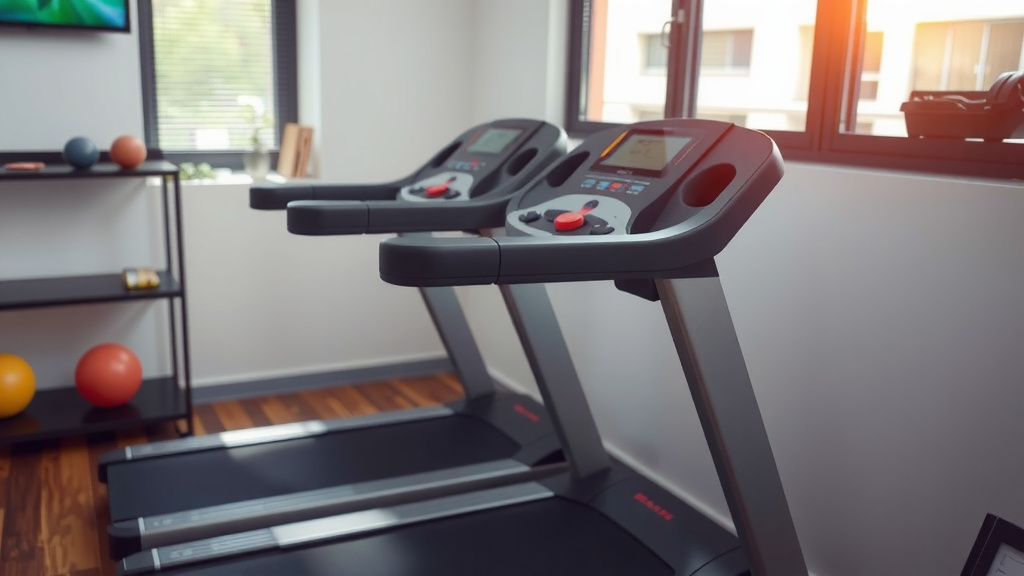
The exact steps vary by brand and model, but the general principle is the same. You’ll typically need to enter a special calibration or service mode. This is often done by pressing a combination of buttons on the console.
Once in calibration mode, the treadmill may prompt you to run at a specific speed. It might ask you to measure how far the belt travels in a set amount of time. Or it could be an automatic process where the machine tests itself. Always refer to your manual for precise instructions.
Entering Calibration Mode
First, turn on your treadmill. Look for buttons on the console that might initiate service mode. Common combinations involve holding down the ‘Speed Up’ and ‘Incline Up’ buttons, or the ‘Start’ and ‘Stop’ buttons simultaneously. Some models might require you to press and hold a button for a certain duration.
If you’re unsure, your user manual will clearly outline how to access this mode. Don’t guess; incorrect button presses could potentially reset your machine’s settings or cause other issues. Once you see a code or a different menu on the display, you’ve likely entered calibration mode successfully.
Running the Calibration Test
Once in calibration mode, the treadmill often guides you through the process. You might be asked to set the speed to a specific setting, like 3 mph. Then, you’ll run the treadmill for a set period or distance.
During this test, the treadmill’s computer measures the speed of the motor and the belt’s movement. It compares these measurements to what it expects. If there’s a deviation, it adjusts its internal calibration factor. You may need to repeat this process a few times to get it right. Many experts suggest this manual check improves data accuracy.
Using a Measuring Tape for Precision (Optional)
For an extra layer of confidence, you can manually verify the distance. After the treadmill completes its automatic calibration, you can test it. Set the treadmill to a steady speed, like 5 mph. Use a measuring tape to mark a specific distance on the belt. Let the treadmill run until the mark has traveled a predetermined distance, say 1/10th of a mile (528 feet).
Record the distance shown on the console. If it matches your actual measurement, your treadmill is well-calibrated. If there’s a noticeable difference, you may need to re-enter calibration mode and try again, or consult your manual for fine-tuning options. This kind of manual verification adds a layer of trust.
Exiting and Saving Your Settings
After the calibration sequence is complete, it’s crucial to exit the mode correctly. Usually, you’ll need to turn the treadmill off and then back on. This action saves the new calibration settings. If you simply turn the treadmill off without saving, your changes might be lost.
Consult your manual to ensure you’re exiting the mode properly. Some treadmills might have a specific ‘Exit’ or ‘Save’ option within the calibration menu. Getting this right ensures your calibration efforts stick. You’ve done the work, so make sure it counts!
Troubleshooting Common Calibration Issues
What if calibration doesn’t seem to work? Sometimes, the issue isn’t with the calibration itself, but with the treadmill’s mechanics. If the belt is loose or worn, it won’t maintain a consistent speed, even when calibrated. You might need to adjust belt tension.
If you’ve followed the manual precisely and still experience inaccurate readings, there might be a more significant technical problem. It could be with the motor, the drive roller, or the speed sensor. In such cases, it’s best to contact the manufacturer’s customer support or a qualified service technician. They can diagnose and fix deeper mechanical issues.
When to Seek Professional Help
If your treadmill is still not reading accurately after multiple calibration attempts, it’s time to call in the pros. This is especially true if you notice other problems, like grinding noises or error codes on the display. These could indicate worn-out parts or electronic malfunctions.
Don’t force the issue if you’re not comfortable. Treadmills are complex machines. A professional can ensure the repair is done correctly and safely. They have the tools and expertise to fix things you might miss. Your safety and workout accuracy are worth the investment.
Conclusion
You’ve now learned why keeping your treadmill calibrated is essential for accurate workout data. We’ve covered the signs your machine might need a tune-up and how to prepare for the process. Remember, a little time spent calibrating can make a big difference in tracking your fitness journey reliably. Don’t let inaccurate stats hold you back from reaching your goals. Your next step is to check your treadmill’s manual and gather your tools to perform your first calibration. You’ve got this!
Frequently Asked Questions
How often should I calibrate my treadmill?
It’s a good idea to calibrate your treadmill at least every few months, or whenever you notice a discrepancy in your speed or distance readings. Moving the treadmill or performing maintenance can also be reasons to recalibrate. This ensures ongoing accuracy.
Can I calibrate my treadmill without the manual?
While some treadmills have standard calibration procedures, your user manual is the most reliable source. It provides model-specific instructions for entering calibration mode and running tests. Without it, you risk errors or not saving the settings correctly.
What if my treadmill’s calibration doesn’t seem to fix the accuracy issue?
If calibration doesn’t resolve the problem, there might be a mechanical issue. This could involve a loose belt, a worn component, or a malfunctioning sensor. In such cases, it’s best to contact the manufacturer or a qualified service technician for further diagnosis.
Does incline calibration matter as much as speed calibration?
While speed calibration directly impacts distance and pace, incline calibration is also important for accurate workout intensity. If your incline isn’t calibrated correctly, the resistance and effort you feel won’t match what the console displays. This can affect your training zones and calorie burn estimates.
Is there a way to test calibration without running on the treadmill?
Some calibration modes are automatic and test the machine’s functions without you needing to run. However, to manually verify accuracy after calibration, you can use a measuring tape to mark the belt and measure its travel over a set time. This provides real-world confirmation of your treadmill’s performance.