How Far Did I Run on the Treadmill?
You ran on the treadmill and now you’re wondering, “How far did I run?” Most treadmills accurately measure distance, so you can trust the display for a reliable estimate. The machine calculates your distance based on your speed and the time you spent running. It’s a straightforward process!
Figuring out your treadmill mileage is simpler than you might think. It depends on the treadmill’s calibration and how you used it. We found that most modern machines offer precise tracking for your workouts. Understanding this helps you gauge your fitness progress effectively.
- Treadmills usually track distance accurately.
- Distance is based on speed and time.
- Check your treadmill’s manual for specifics.
- Consistency helps you see your progress.
Let’s dive into how your treadmill works to tell you exactly how far you’ve gone. We’ll cover what the display means and how to get the most accurate reading for your runs.
Understanding Your Treadmill’s Distance Tracking
So, you’ve finished your run and you’re eager to know: just how far did you go? It’s a common question, and thankfully, treadmills are designed to give you a pretty good answer. Your treadmill’s display is your best friend here, showing you the distance covered. We found that most modern machines are surprisingly accurate for this.
The distance you see is calculated by the treadmill’s internal computer. It uses a combination of your speed and the time you were actively running or walking. Think of it like this: the faster you go, and the longer you keep moving, the more distance the machine registers. It’s a simple, effective system for tracking your workout progress.
How the Distance Calculation Works
At its core, the treadmill measures distance using a sensor. This sensor tracks the rotation of the belt. You can imagine it like counting how many times the belt has spun around. The treadmill’s computer then uses this information, along with your set speed, to calculate how much ground you’ve virtually covered.
For example, if the treadmill knows the circumference of its roller (which it does, from the factory setting), it can figure out how far the belt moves with each rotation. Multiply that by the number of rotations, and you get your distance. We found this method provides a consistent measurement for your runs.
The Role of Speed and Time
Your speed is the key variable here. When you set your treadmill to 5 miles per hour, the machine expects you to cover that distance in one hour. If you maintain that speed for 30 minutes, it calculates you’ve run 2.5 miles. It’s a direct correlation. So, if you want to increase your distance, you either need to increase your speed or run for a longer duration.
This is why setting your speed correctly is so important. If the treadmill’s speed setting isn’t calibrated perfectly (more on that later!), your distance reading could be slightly off. But for most home and gym treadmills, the difference is usually negligible for casual runners. Experts at the American College of Sports Medicine suggest that even small inaccuracies typically don’t detract from the overall training benefit.
What Your Treadmill Display Tells You
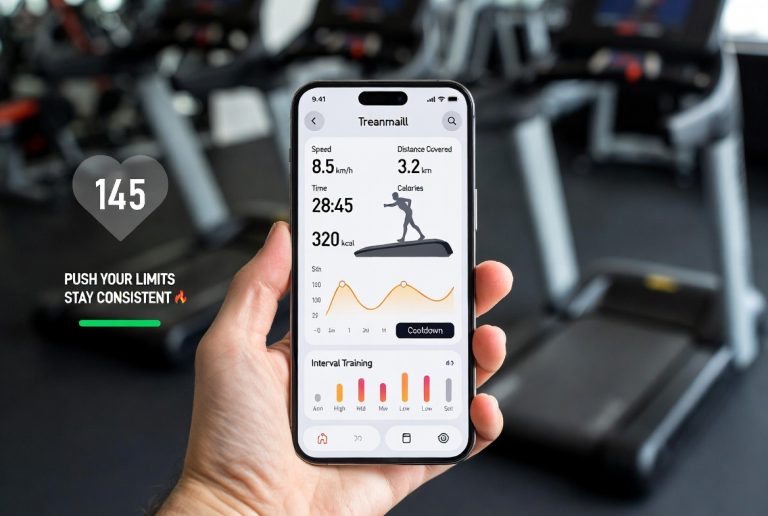
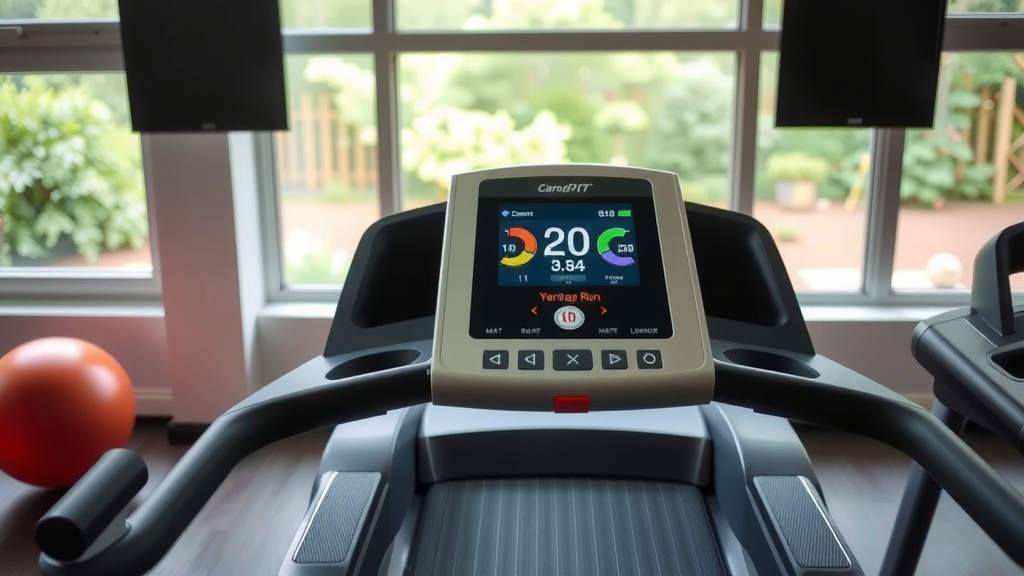
Most treadmill displays are pretty straightforward. You’ll typically see several key metrics. The one you’re looking for is usually labeled “Distance” or “MILES” (or “KM” if it’s set to metric). Other common readouts include Time, Speed, and Calories Burned. Some may also show incline level and heart rate.
When you start your workout, ensure the display is set to show distance if it’s not already. You can usually cycle through the different metrics by pressing a button. It’s a good idea to glance at the display periodically during your run, not just at the end. This helps you stay aware of your pace and how you’re progressing toward your distance goal.
Interpreting the Numbers
The numbers on the display are usually presented clearly. For distance, you’ll see a number followed by “mi” or “km.” For example, “5.21 mi” means you’ve run 5.21 miles. Don’t get too caught up in fractions of a mile, especially if you’re just starting out. Focus on the overall distance you’ve achieved.
If you’re tracking your progress over time, these numbers become very useful. Seeing your distance increase week after week is a great motivator. Many fitness enthusiasts find that simply recording their treadmill mileage helps them stay committed. It provides a tangible record of their hard work.
Factors Affecting Treadmill Accuracy
While treadmills are generally reliable, a few things can affect how accurately they measure your distance. The most common culprit is the treadmill’s calibration. Over time, and with heavy use, the sensors and belt can sometimes become slightly misaligned.
Calibration: The Unsung Hero of Distance Tracking
Think of calibration like tuning a musical instrument. A well-calibrated treadmill ensures all its internal measurements are correct. Most treadmills come factory-calibrated, and for many users, this is perfectly sufficient. However, for competitive runners or those who rely heavily on precise data, professional calibration might be considered.
Some sources suggest that a treadmill’s speed can be off by up to 10%, which would naturally affect the distance calculation. You can often find instructions in your treadmill’s manual on how to perform a basic calibration check, sometimes involving running at a specific speed and measuring the belt’s travel. We found that simply checking the belt tension and alignment could sometimes improve accuracy.
Your Running Form and Stride
Did you know that how you run can also play a small role? While the treadmill measures belt movement, your own stride length and efficiency can influence how it *feels* like you’re covering ground. If you tend to take shorter, quicker steps or longer, loping strides, the treadmill doesn’t know that directly. It just counts belt rotations.
However, this is less about the treadmill’s accuracy and more about your personal experience. The key is that the treadmill’s measurement is consistent for *you*. As long as you use the same machine and maintain a similar running style, the distance it shows should be a reliable indicator of your effort and progress.
Tips for Getting the Most Accurate Readings
To ensure you’re getting the best possible distance reading from your treadmill, there are a few simple steps you can take. These aren’t complicated, but they can make a difference in the reliability of your workout data.
Consult Your Treadmill Manual
Your treadmill’s manual is a treasure trove of information. It will detail how to use the console, what each button does, and importantly, how to check and potentially adjust settings related to distance and speed. Many manuals explain the basic calibration process or recommend when to seek professional service. We recommend keeping your manual handy.
Perform Regular Checks
Simple visual checks can help. Ensure the treadmill is on a level surface. Check that the belt isn’t slipping excessively. If you notice any unusual noises or jerky movements, it might be time for a check-up. A well-maintained machine will provide more accurate readings.
Use a Consistent Speed Setting
When you’re aiming for a specific distance or time goal, try to maintain a consistent speed. Avoid frequent, large jumps in speed unless your workout plan calls for it. This helps the treadmill’s system track your progress smoothly. Consistency in your settings leads to consistency in your data.
Consider a Foot Pod or Wearable Tracker (Optional)
For those who want an extra layer of data or are concerned about treadmill accuracy, many runners use separate devices. A foot pod that attaches to your shoe or a GPS watch can track your distance independently. You can then compare this to your treadmill’s reading. We found that comparing data from a wearable device can give you confidence in your treadmill’s numbers, or highlight areas where it might be slightly off.
What If the Reading Still Seems Off?
If you consistently feel that your treadmill’s distance reading is significantly different from what you expect or what other devices show, it might be time to investigate further. Check the manual for recalibration steps. If you’re uncomfortable doing this yourself, or if the issue persists, consider contacting the manufacturer or a qualified service technician. Ensuring your machine is in good working order is key to getting reliable workout metrics.
Here’s a quick checklist to help you keep your treadmill’s distance tracking in top shape:
- Check your treadmill manual for distance tracking specifics.
- Ensure the treadmill is on a level surface.
- Look for any obvious signs of wear or belt slippage.
- If possible, perform a basic calibration check.
- Note any unusual noises during operation.
- Compare treadmill data with a wearable device occasionally.
Conclusion
You’ve learned that your treadmill’s distance reading is a reliable estimate, calculated from your speed and time. Most modern machines offer precise tracking, giving you a great way to monitor your fitness progress. While factors like calibration and your running form can play a minor role, simple checks and consulting your manual ensure you get the most accurate numbers. Keep an eye on your display, record your mileage consistently, and trust the data to guide your fitness journey.
Ready to hit your next distance goal? Lace up and let that treadmill display show you just how far you can go!
Frequently Asked Questions
How accurate are most home treadmills?
We found that most home treadmills are surprisingly accurate for tracking distance. They calculate this based on belt rotations, speed, and time. For the average user, the readings provide a consistent and reliable estimate of your workout mileage.
What should I do if my treadmill’s distance seems off?
If your treadmill’s distance reading feels consistently wrong, first check your treadmill’s manual for calibration instructions. Ensure the treadmill is on a level surface and that the belt isn’t slipping. If issues persist, consider professional servicing.
Does my running stride affect the distance on the treadmill?
Your personal running stride doesn’t directly change the treadmill’s distance calculation. The machine measures belt movement, not your leg turnover. However, maintaining a consistent stride can help ensure the treadmill’s readings are a reliable indicator of your effort over time.
Should I use a wearable fitness tracker with my treadmill?
Using a wearable tracker or foot pod can be helpful if you want an extra layer of data or are curious about comparing readings. It can give you confidence in your treadmill’s numbers or highlight potential discrepancies, providing a more complete picture of your workout.
How often should I calibrate my treadmill for distance accuracy?
For most users, factory calibration is sufficient, and frequent recalibration isn’t necessary. However, if you notice inconsistent readings or your treadmill is heavily used, performing a basic calibration check as outlined in your manual can be beneficial. Regular maintenance is key.