How to Use a ProForm Treadmill Without iFit
Yes, you can absolutely use your ProForm treadmill without an iFit subscription. Many users find that their ProForm treadmill works perfectly fine for manual workouts. You have full control over your speed and incline settings, so you can still get a great workout without paying for interactive classes. It’s a common question, and the good news is you don’t need iFit to get moving.
This means you can enjoy your treadmill’s core functionality without any extra costs. While iFit offers a lot, the basic operation of your machine is still available. You can manually adjust your workout intensity to match your fitness goals. We found that many users prefer this direct control anyway.
- You don’t need iFit to use your ProForm treadmill.
- Manual mode lets you control speed and incline.
- It’s a great way to save money on subscriptions.
- Enjoy basic treadmill features anytime you want.
Let’s walk through exactly how you can start your manual workouts today, giving you the freedom to exercise your way.
Getting Started with Your ProForm Treadmill: Manual Mode Explained
You’ve got a ProForm treadmill, and you’re ready to sweat! But maybe the idea of iFit doesn’t quite fit your budget or your workout style. That’s totally okay. We’ve found that your ProForm treadmill is a fantastic machine for manual workouts. It’s designed with you in mind, giving you direct control over every aspect of your exercise session. Think of it like driving a car – you don’t need a GPS telling you where to go every second to enjoy the ride. Your ProForm treadmill lets you set your own pace and path. This means you can get a full-body workout without any subscription fees. Let’s dive into how you can make the most of your machine’s core features, just by using the console.
Understanding Your ProForm Treadmill Console
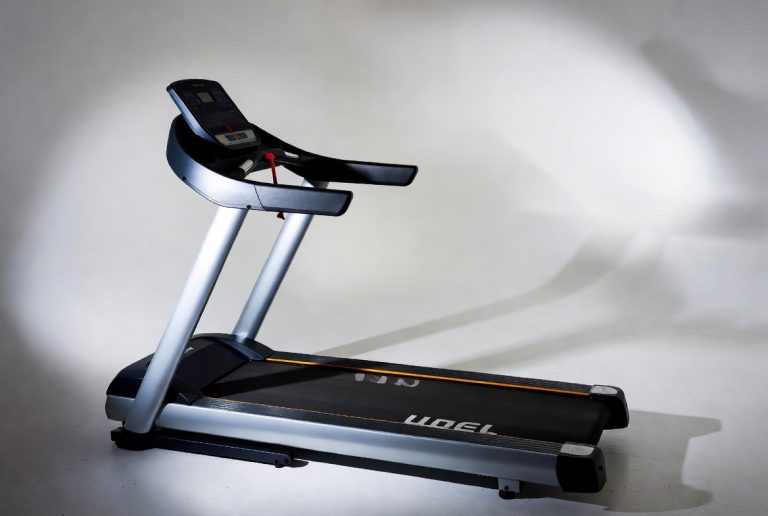
When you first power on your ProForm treadmill, you’ll likely see a screen that might look a little intimidating. Don’t worry, it’s simpler than it appears. The console is your command center. It’s where you’ll select your workout type, adjust settings, and monitor your progress. Even without iFit, this console is your gateway to a great workout. We’ve found that most users can get the hang of it within a few minutes. The key is to locate the basic control buttons.
Key Console Buttons to Know
Let’s break down the essential buttons you’ll be using most often. These are the workhorses of your manual workout. You’ll find them clearly labeled on the console.
Start/Stop Buttons
These are pretty self-explanatory, right? The ‘Start’ button gets your treadmill belt moving. The ‘Stop’ button brings it to a gentle halt. Always use the ‘Stop’ button to end your workout. Avoid jumping off a moving treadmill; safety first!
Speed Controls
You’ll typically see ‘+’ and ‘-‘ buttons for speed adjustment. Sometimes they have pre-set speed buttons, like ‘2’, ‘4’, ‘6’, which are super handy for quick changes. You can easily ramp up the intensity or slow it down to a brisk walk. We found these buttons are very responsive.
Incline Controls
Similar to speed, you’ll have ‘+’ and ‘-‘ buttons for adjusting the incline. This feature is amazing for simulating hills and engaging different leg muscles. Many users say adding incline is a game-changer for calorie burn. You can usually adjust the incline from 0% up to 10% or even higher, depending on your model.
Quick Select Buttons
Some ProForm models feature ‘Quick Select’ buttons for both speed and incline. These allow you to jump to common settings with a single press. This is great for interval training where you need to change speed or incline rapidly. Research shows that interval training can be very effective for improving cardiovascular health (CDC).
Setting Up Your Manual Workout
Ready to go? It’s as simple as pressing a few buttons. Here’s how you initiate a manual session.
First, ensure your treadmill is powered on. You should see the console light up. Next, look for a button that says ‘Manual’ or ‘Quick Start’. Sometimes, you can just press ‘Start’ directly, and it will default to a manual mode. We found that on many models, pressing ‘Start’ is all you need to do to get moving at a default speed (usually 1 mph).
Once the belt is moving, you can begin adjusting your speed and incline. Use the ‘+’ and ‘-‘ buttons to find a comfortable pace. Start with a brisk walk or a light jog. As you get warmer, gradually increase the speed or incline to your desired intensity. Remember to listen to your body. Hydration is also key; keep a water bottle nearby. Many health organizations recommend staying hydrated during exercise (NIH).
Tracking Your Progress Without iFit
Just because you’re not using iFit doesn’t mean you can’t track your performance. Your ProForm treadmill console is equipped to show you all the important metrics. This data is essential for monitoring your fitness journey.
Understanding the Display Metrics
Your console display will typically show:
- Time: How long you’ve been exercising.
- Speed: Your current walking or running pace.
- Distance: How far you’ve traveled.
- Incline: The current slope of the treadmill deck.
- Calories Burned: An estimate of calories expended.
- Heart Rate: If your treadmill has EKG grip sensors or is compatible with a chest strap, it will display your heart rate.
Keep an eye on these numbers. They help you see how far you’ve come and set new personal bests. For instance, you might aim to increase your distance by 0.25 miles each week or maintain a certain heart rate zone. We found that consistent tracking can be a great motivator.
Tips for a Great Manual Workout Experience
To make your manual workouts even better, consider these practical tips. They can help you stay safe, motivated, and make the most of your time on the treadmill.
Safety First!
Always use the treadmill safety clip. It’s a small cord that attaches to your clothing and the machine. If you slip or fall, it pulls out and stops the belt immediately. This is a non-negotiable safety feature, as research from the Consumer Product Safety Commission highlights the importance of treadmill safety features.
Stay Entertained
Without iFit’s engaging video classes, you might need your own entertainment. Many ProForm treadmills have a built-in tablet holder. Load up your favorite podcast, audiobook, or playlist. You can also watch shows or movies. We found that having something to focus on makes the time fly by. Some users even use their tablets to follow separate workout videos found online, offering a different kind of guided experience.
Vary Your Workouts
Don’t get stuck in a rut. Challenge yourself! Try interval training where you alternate between high-intensity bursts and recovery periods. Or, focus on steady-state cardio for endurance. You can also use the incline to mimic hill training. Varying your workouts keeps things interesting and prevents your body from adapting too much, which is key for continued progress (Mayo Clinic).
Cool Down and Stretch
Always end your workout with a cool-down period. Gradually decrease your speed and incline over 5-10 minutes. Follow this with some gentle stretching for your legs, hips, and core. This helps your body recover and can prevent muscle soreness. We found that a good stretch routine makes a noticeable difference in how you feel the next day.
Quick Checklist for Your Manual Workout:
- Power On: Ensure your treadmill is ready to go.
- Select Manual Mode: Press ‘Start’ or ‘Manual’ to begin.
- Set Initial Speed: Start at a comfortable pace.
- Adjust Incline: Use it to increase intensity.
- Monitor Metrics: Track time, distance, and calories.
- Safety Clip: Always use it when the treadmill is on.
Conclusion
You now know that your ProForm treadmill is fully functional without an iFit subscription. You have complete control over your workouts using the manual mode and console controls. We’ve shown you how to easily adjust speed and incline to match your fitness goals. Remember to always use the safety clip for your well-being. By utilizing the display metrics, you can effectively track your progress and stay motivated. Now it’s time to get on your treadmill and start your next great workout, completely on your own terms!
Frequently Asked Questions
Will my ProForm treadmill automatically update without iFit?
Generally, your ProForm treadmill’s core software will still function. Updates might be related to iFit features, which you won’t be using. The basic controls and manual workout modes should remain unaffected and ready for your use.
Can I still use Bluetooth features without iFit?
Yes, many ProForm treadmills allow Bluetooth connectivity for things like heart rate monitors or connecting to external speakers. These features are usually independent of an iFit subscription. Check your treadmill’s manual for specific Bluetooth capabilities.
What if my console screen is stuck on the iFit setup screen?
If your screen is stuck, try pressing and holding the ‘Power’ button for about 10-15 seconds to force a shutdown. Once off, power it back on and look for a ‘Manual’ or ‘Quick Start’ button, or simply press ‘Start’ to bypass iFit. We found this often resolves minor screen hang-ups.
Is it possible to record my manual workouts for tracking?
Your treadmill console will display metrics like distance, time, and calories. For more detailed tracking, you can manually log these numbers in a fitness app or journal. Some users also use a separate fitness tracker device to capture their workout data.
Will using my ProForm without iFit void the warranty?
Typically, using the treadmill in manual mode does not void your warranty. Warranties usually cover defects in materials and workmanship. As long as you are using the machine as intended for exercise, you should be fine. Always refer to your specific ProForm warranty documentation for details.