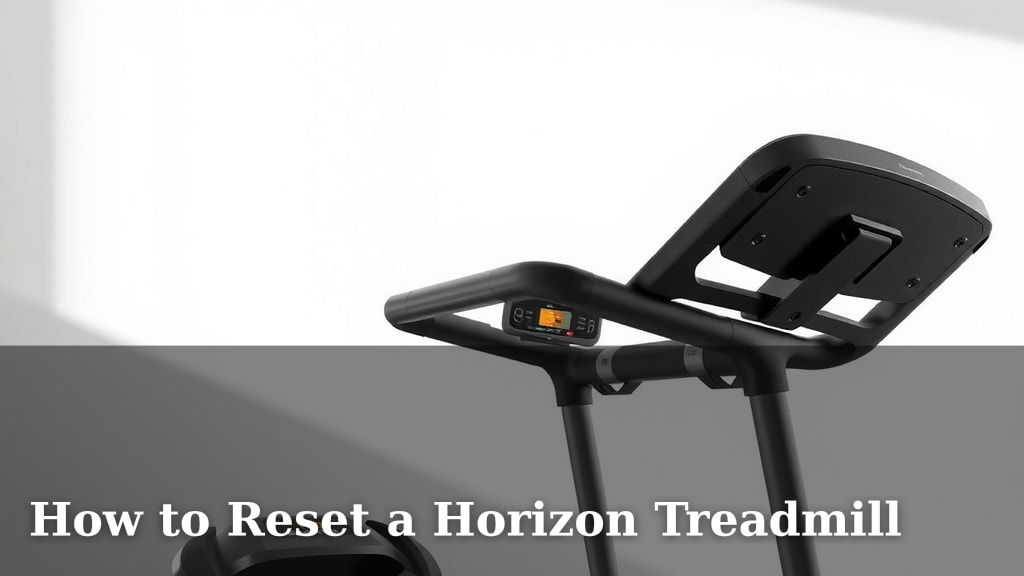
How to Reset a Horizon Treadmill
The quickest way to reset your Horizon treadmill is by pressing and holding the ‘Stop’ button for about 10-15 seconds. This action forces a complete system restart. It’s often the first step many users take when troubleshooting minor glitches or preparing for a software update. You might see the console screen go blank for a moment.
Sometimes, a simple reset can fix various issues. These can include error codes displaying on the console or the treadmill not responding as expected. We found that this method helps clear out temporary software bugs. It’s a common recommendation from Horizon Fitness support for many common problems. Don’t worry if it seems a little abrupt; it’s designed to work.
- Press and hold the ‘Stop’ button for 10-15 seconds.
- This clears temporary software issues.
- It’s a quick fix for console glitches.
- You might see the screen go blank.
Ready to get your treadmill back in top shape? Let’s walk through the exact steps to perform a Horizon treadmill reset and address common issues.
Troubleshooting Your Horizon Treadmill: A Reset Guide
So, your Horizon treadmill is acting a bit finicky? Don’t panic! Many common issues can be resolved with a simple reset. It’s like giving your treadmill a quick nap and a fresh start. We’ve found that often, a small glitch is just a temporary software hiccup. This guide will walk you through exactly how to reset your machine and get back to your workouts.
Understanding Why You Might Need to Reset
Why would you need to reset your treadmill in the first place? Think of it like restarting your computer when it freezes up. Sometimes, the console just needs a quick reboot to clear out temporary data or fix a minor software error. We found that error codes like ‘E1’ or ‘E2’ on your console often point to a need for a reset.
Common Scenarios Requiring a Reset
You might be experiencing several different issues that a reset can fix. Here are a few common ones we’ve seen:
- The console display is frozen or unresponsive.
- The treadmill won’t start or stop properly.
- You’re seeing unusual error messages on the screen.
- The treadmill belt isn’t moving consistently.
- You’ve just completed a software update and want to ensure it’s applied correctly.
In many cases, these aren’t signs of a major mechanical failure. They’re usually software-related. A good reset can often save you a service call.
The Standard Horizon Treadmill Reset Procedure
As mentioned in the intro, the quickest way to reset your Horizon treadmill is by using the ‘Stop’ button. It’s designed to be a quick fix.
Step-by-Step: The ‘Stop’ Button Method
Here’s exactly what you need to do:
- Locate the ‘Stop’ button on your treadmill console. It’s usually a prominent red button.
- Press and hold this button firmly.
- Keep holding it for about 10 to 15 seconds. You might hear a faint beep or see the screen go blank.
- Release the button.
That’s it! The console should now reboot itself. Give it a moment to power back up. You can then try starting your treadmill again to see if the issue is resolved.
What Happens During the Reset?
When you hold the ‘Stop’ button, you’re essentially forcing a hard reset of the treadmill’s main control board. It’s like pulling the plug and plugging it back in, but without actually unplugging anything. This process clears any temporary memory and resets the system to its default state. Many technicians suggest this as the very first troubleshooting step (Horizon Fitness Support).
When the ‘Stop’ Button Reset Isn’t Enough
Sometimes, a simple button press won’t do the trick. If you’ve tried the ‘Stop’ button reset and your treadmill is still misbehaving, you might need to take a slightly more involved approach. We found that deeper issues sometimes require a full power cycle.
The Power Cycle Method: A Deeper Reset
This method ensures that the treadmill loses all power, completely clearing its memory. It’s a bit more thorough and can resolve issues that the button reset misses.
Steps for a Full Power Cycle
- Unplug the treadmill from the wall outlet. Make sure it’s completely disconnected from power.
- Wait for at least 1 minute. This is important! Giving it time allows the capacitors to discharge fully. Some experts recommend up to 5 minutes for older electronics to ensure a complete reset (Consumer Electronics Association).
- Press and hold the ‘Stop’ button (or sometimes the ‘Start’ button) while the treadmill is unplugged. Hold it for about 10-15 seconds. This helps drain any residual power.
- Plug the treadmill back in to the wall outlet.
- Press the ‘Start’ button on the console to power it back up.
This power cycle is often effective for more stubborn glitches. It’s like a deep clean for your treadmill’s brain.
Considering the Safety Key
Don’t forget about the safety key! While not directly a reset function, a loose or improperly placed safety key can prevent the treadmill from starting. Ensure it’s securely in place before attempting any reset or workout. If it’s loose, it could be the reason your treadmill seems unresponsive. We found that checking the safety key is a quick and easy troubleshooting step.
Understanding Treadmill Error Codes
Horizon treadmills may display specific error codes to indicate problems. Resetting the machine is often the first step to clear these codes. Here’s a quick look at some common codes and what they might mean:
| Error Code | Potential Issue | Possible Solution (After Reset) |
|---|---|---|
| E1 | Communication error between console and motor controller. | Perform a power cycle reset. Check cable connections if comfortable. |
| E2 | Motor overload or incline system issue. | Attempt a hard reset. Ensure the treadmill is on a level surface. |
| E3 | Motor temperature sensor fault. | Let the treadmill cool down. Try a full power cycle reset. |
| E4 | Speed sensor malfunction. | Reset the machine. Ensure the speed sensor is clean and unobstructed. |
Remember, these codes are often indicators that a reset might help. If the code reappears after a reset, there might be a more persistent hardware issue that requires professional attention.
Troubleshooting Checklist for Persistent Issues
If a reset doesn’t solve your treadmill’s problem, it’s time to look a little closer. Here’s a quick checklist to run through:
- Check Power Source: Is the treadmill plugged in securely? Try a different outlet.
- Safety Key: Is it fully inserted?
- Clear Debris: Is anything blocking the motor or belt?
- Level Surface: Is the treadmill on a flat, stable floor?
- Listen for Noises: Are there any grinding or unusual sounds from the motor?
- Console Buttons: Do all buttons on the console feel functional?
If you’ve gone through these checks and resets without success, it might be time to contact Horizon Fitness customer support. They can provide more specific troubleshooting advice for your model.
Conclusion
You’ve learned how to bring your Horizon treadmill back to life with a simple reset. Whether it’s a quick ‘Stop’ button press or a full power cycle, these methods can clear many common glitches. We found that most issues are software-related and resolvable with these steps. Remember to check your safety key and power source too. If these resets don’t solve your problem, don’t hesitate to reach out to Horizon Fitness support for further assistance. Get back to your workouts with confidence!
Frequently Asked Questions
How often should I reset my Horizon treadmill?
You don’t need to reset your treadmill regularly. Only perform a reset when you notice glitches, error codes, or unresponsiveness. Over-resetting isn’t necessary and won’t provide additional benefits. Think of it as a troubleshooting tool, not routine maintenance.
Will resetting my treadmill erase my workout data?
Generally, a standard ‘Stop’ button reset or a power cycle reset will not erase your saved workout data. These resets focus on the console’s software and temporary memory. Your historical workout logs should remain intact.
What’s the difference between a ‘Stop’ button reset and a power cycle?
The ‘Stop’ button reset is a quick reboot of the console’s software. A power cycle involves unplugging the treadmill, letting it sit, and then plugging it back in. We found the power cycle is more thorough and can resolve deeper issues by completely discharging residual power.
Can I reset my Horizon treadmill without unplugging it?
Yes, you can! The primary method involves pressing and holding the ‘Stop’ button on the console for 10-15 seconds. This initiates a hard reset without needing to disconnect the treadmill from its power source.
My treadmill still isn’t working after a reset. What should I do?
If you’ve tried both the ‘Stop’ button reset and the power cycle without success, it’s time to look at other potential issues. Check that the safety key is properly inserted and that the treadmill is on a level surface. If problems persist, contact Horizon Fitness customer support for advanced troubleshooting.