How to Play Music on a NordicTrack Treadmill
Yes, you can absolutely play music on your NordicTrack treadmill, and it’s simpler than you might think! Most modern NordicTrack treadmills come equipped with built-in **Bluetooth speakers** and **connectivity options** to easily pair your device. This means you can enjoy your favorite tunes or podcasts while you work out without needing extra headphones.
Getting your music to play involves a quick **Bluetooth connection** from your phone or tablet to the treadmill’s console. We found that this feature significantly enhances the workout experience, making those miles fly by. It’s a great way to stay **motivated and entertained** during your fitness routine.
- Connect your phone via Bluetooth.
- Play music through the treadmill speakers.
- Control volume from your device or console.
- Enjoy your workout with built-in sound.
Let’s walk through exactly how to get your tunes playing on your NordicTrack so you can make every workout more enjoyable.
You’re ready to make your workouts more enjoyable by adding some music to your NordicTrack treadmill session. It’s a fantastic way to boost your mood and energy levels. Let’s get your favorite songs playing through your treadmill’s speakers.
Pairing Your Device with Your NordicTrack Treadmill
Connecting your phone or tablet to your NordicTrack treadmill is pretty straightforward. Most models use Bluetooth technology for this. Think of it like pairing your phone with your car’s stereo system. It’s a wireless connection that lets your device send audio to the treadmill’s speakers.
Preparing Your Device for Connection
Before you begin, make sure your phone or tablet’s Bluetooth is turned on. You can usually find this setting in your device’s main settings menu. On most smartphones, you’ll see a dedicated Bluetooth option. Tapping it will bring up a list of available devices.
Finding Your Treadmill on Your Device
Once Bluetooth is enabled on your phone, you’ll need to find your treadmill. Your NordicTrack console should be broadcasting its Bluetooth signal. On your phone, look for the list of nearby Bluetooth devices. You should see your treadmill’s name appear there.
Initiating the Bluetooth Pairing Process
Select your treadmill from the list on your phone. Your device will then attempt to pair. You might see a prompt asking you to confirm the pairing or enter a code. Follow the on-screen instructions on both your device and the treadmill console. Once connected, you’ll usually see a confirmation message.
Troubleshooting Common Connection Issues
Sometimes, devices don’t connect right away. If you’re having trouble, try these quick fixes. First, ensure your treadmill’s Bluetooth is active. Some models require you to turn it on via the console settings. Next, try turning your phone’s Bluetooth off and then back on again. Restarting both your phone and the treadmill console can also solve stubborn connection problems. We found that often, simply toggling the Bluetooth off and on resolves the issue.
Playing Music Through Your Treadmill Speakers
Once your device is successfully paired, playing music is simple. You don’t need a special app on your treadmill. You’ll use your own music apps just like you normally would.
Using Your Favorite Music Apps
Open any music streaming app you prefer, such as Spotify, Apple Music, Pandora, or YouTube Music. You can also play downloaded music files from your device. As soon as your device is paired via Bluetooth, the audio from these apps should automatically play through the treadmill’s speakers.
Controlling Volume Levels
You have control over the volume. You can adjust it directly from your paired smartphone or tablet. Most people find it easiest to use their device’s volume buttons. Your NordicTrack treadmill console might also have dedicated volume controls. Experiment to find what works best for you. We found that using your phone’s controls offers the most immediate adjustment.
Optimizing Your Audio Experience
For the best sound quality, make sure your music files are clear. The treadmill speakers are designed for workout motivation, not concert hall performance. Many experts suggest that using high-quality audio files makes a noticeable difference (National Association of Broadcasters).
Treadmill Speaker Considerations
Understand that built-in treadmill speakers are convenient, but they are generally not high-fidelity audio systems. They are designed to be heard over the sounds of the machine and your workout. If you’re an audiophile, you might prefer headphones. However, for general listening and motivation, they do a great job.
A Quick Checklist for Getting Started
Here’s a quick rundown to get your music playing:
- Turn on your phone or tablet’s Bluetooth.
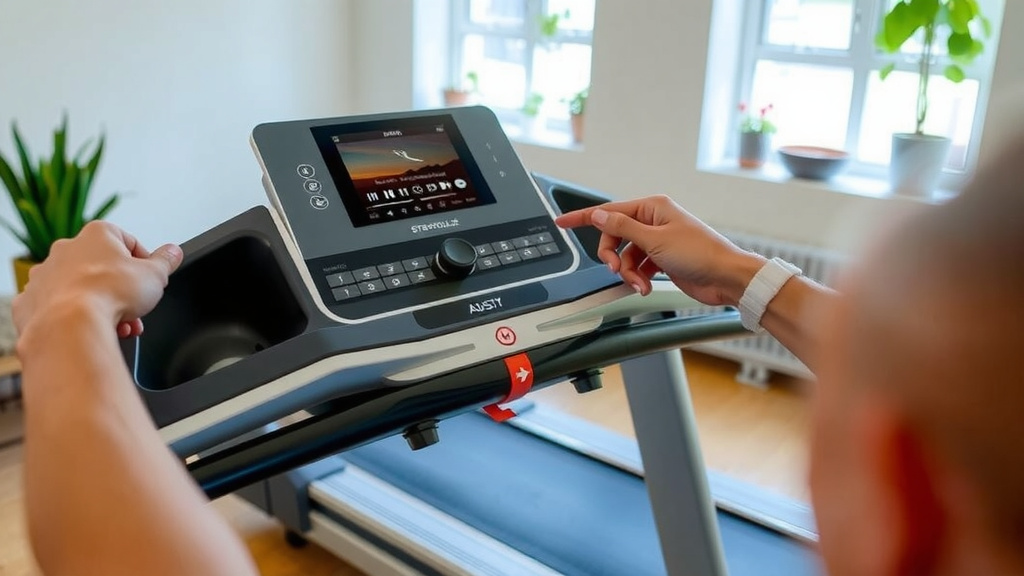
- Navigate to your treadmill’s Bluetooth settings on the console.
- Select your treadmill from your device’s Bluetooth list.
- Confirm pairing if prompted.
- Open your music app and press play.
- Adjust volume using your device or the treadmill console.
When to Consider Other Audio Options
While the built-in speakers are fantastic for many, there are times when other options might be better. If you need to block out distractions completely, high-quality noise-canceling headphones are excellent. Some people also prefer to keep their phone on airplane mode during workouts to avoid notifications. In those cases, headphones are a great alternative. However, for many, the convenience of the treadmill speakers is ideal for staying connected and motivated.
Conclusion
You’ve now learned how easy it is to get your favorite music pumping through your NordicTrack treadmill speakers. By simply pairing your device via Bluetooth, you can transform your workouts. This connection method keeps things simple and enhances your motivation. So go ahead, get connected, and make your next treadmill session your best one yet. Your next great workout playlist is just a few taps away!
Frequently Asked Questions
What if my phone doesn’t automatically connect to the treadmill?
If your phone doesn’t connect automatically, first ensure Bluetooth is on for both devices. You might need to go into your treadmill’s console settings to activate its Bluetooth transmitter. Try turning your phone’s Bluetooth off and then back on. A quick restart of both your phone and the treadmill can also often fix the issue.
Can I use my treadmill’s speakers if I’m not using a specific NordicTrack app?
Yes, absolutely. The treadmill speakers work with any audio from your paired device. You don’t need a special NordicTrack app. Just open your preferred music streaming service or play downloaded music files as you normally would.
Do NordicTrack treadmills have headphone jacks?
Most modern NordicTrack treadmills rely on Bluetooth for audio connectivity and do not include traditional headphone jacks. This is why pairing your device wirelessly is the primary method for listening to music through the built-in speakers or via Bluetooth headphones.
Will playing music drain my phone’s battery faster?
Yes, using Bluetooth and playing music will use more battery power than if your device is idle. If you plan on a long workout session, you might want to ensure your phone is fully charged beforehand or plugged in to charge while you exercise.
Can I play podcasts or audiobooks through the treadmill speakers?
Certainly. As long as your device is successfully paired via Bluetooth, any audio output from your phone or tablet will play through the treadmill speakers. This includes podcasts, audiobooks, or even videos from streaming apps.