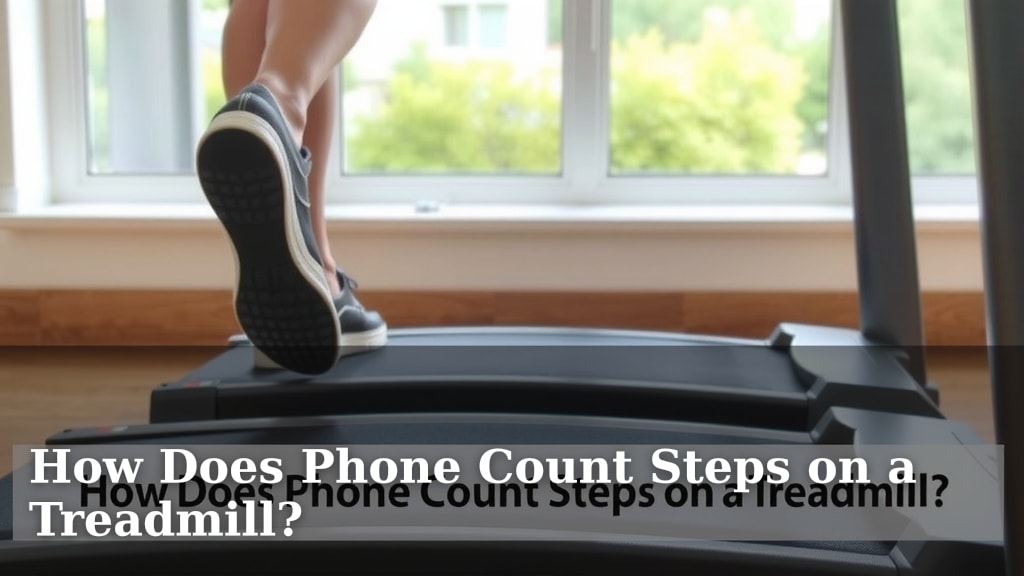
How Does Phone Count Steps on a Treadmill?
Yes, your phone can count steps on a treadmill, usually by using its built-in motion sensors. These sensors detect the rhythmic up-and-down movement that mimics walking or running. Your phone’s accelerometer and gyroscope work together to identify these patterns, translating them into step counts. It’s a pretty clever way to track your workout without extra gadgets.
Many fitness apps and even your phone’s native health tracker can do this. They’re designed to pick up on the specific type of motion you make when you walk. While it’s not always as precise as a dedicated fitness tracker, it’s a convenient method for most users. You just need to keep your phone on you, like in your pocket or armband.
- Your phone uses motion sensors to track steps.
- The accelerometer and gyroscope detect walking patterns.
- Many fitness apps can utilize this feature.
- Keep your phone on your person for best results.
- It’s a handy, gadget-free way to monitor activity.
Ready to see how your phone makes this happen? Let’s walk through the technology behind your phone’s step-counting magic on the treadmill.
Your Phone’s Secret Life as a Treadmill Step Counter
So, you’re hitting the treadmill, getting a great workout in, and you want to know how that little device in your pocket is keeping tabs on your steps. It’s actually pretty neat! Your phone uses its built-in sensors to mimic what a fitness tracker does. Think of it like your phone having tiny, super-sensitive ears and eyes for movement.
The magic happens thanks to a few key components. Your phone isn’t just sitting there; it’s constantly analyzing the rhythm and intensity of your motion. This is how it differentiates between a casual stroll to the fridge and a vigorous treadmill session. Let’s break down the tech that makes this possible.
The Brains Behind the Operation: Accelerometer and Gyroscope
The two main players in your phone’s step-counting game are the accelerometer and the gyroscope. They work as a team to understand how your phone is moving through space.
The Accelerometer: Sensing Every Jolt
Your phone’s accelerometer is like a tiny shock absorber. It has miniature sensors that can detect acceleration, which is basically a change in speed or direction. When you walk or run on a treadmill, your body (and your phone) moves up and down and side to side. The accelerometer picks up on these distinct jolts and vibrations.
It measures this movement along three axes: X, Y, and Z. Think of it as sensing motion forward/backward, left/right, and up/down. The consistent, rhythmic up-and-down motion of walking or running creates a specific pattern that the accelerometer can register. This pattern is a key indicator that you’re moving.
The Gyroscope: Adding Direction and Rotation
While the accelerometer detects the force of movement, the gyroscope helps your phone understand its orientation and how it’s rotating. This adds another layer of data. It helps distinguish between a step and, say, just shaking your phone or dropping it (though hopefully, you’re not doing the latter on the treadmill!).
The gyroscope measures rotational velocity. When you stride, there’s a natural rotation of your body and arm swing. The gyroscope helps refine the step count by adding context to the accelerometer’s data. It makes the tracking more accurate by understanding the nature of the movement, not just its intensity.
How Your Phone Turns Motion into Steps
So, you have these sensors picking up movement. But how does that translate into a number like “1,000 steps”? This is where algorithms and software come into play.
The Algorithm: The Step-Counting Detective
Your phone’s health app or fitness app uses a sophisticated algorithm. This algorithm acts like a detective, analyzing the combined data from the accelerometer and gyroscope. It looks for specific signatures of movement that correspond to a human gait.
Researchers have found that a typical walking or running stride creates a predictable pattern of acceleration and rotation. The algorithm is programmed to identify these patterns. It’s trained to filter out non-step movements. For example, driving in a car might create vibrations, but it’s a different pattern than walking. The algorithm learns to distinguish these differences.
When the algorithm detects a series of movements that match the “step” signature, it increments your step count. This is often done in batches. It might take a few consistent “steps” before the app registers a single counted step.
Why Keeping Your Phone Close Matters
You might be wondering, “Does it matter if my phone is in my gym bag?” Yes, it absolutely does! For your phone to accurately count your steps on the treadmill, it needs to be moving with you.
The Pocket or Armband Advantage
The best place for your phone to count steps is on your person. Think about it: when you walk, your phone is moving in sync with your body. This allows the accelerometer and gyroscope to capture the most relevant data. Keeping it in your pocket, a running belt, or an armband is ideal.
If your phone is left sitting on the treadmill console, it won’t register your steps. Why? Because the console might be vibrating, but it’s not experiencing the rhythmic impact of your body’s movement. The sensors need to be directly experiencing your motion to work effectively. Many fitness experts recommend keeping it as close to your core body movement as possible.
Accuracy: How Good is Your Phone, Really?
Now, let’s talk about precision. While your phone is surprisingly good at counting steps, it’s not always perfect. Dedicated fitness trackers often have slightly more advanced sensors or algorithms optimized solely for activity tracking.
We found that phones can sometimes overestimate or underestimate steps. This can happen due to factors like the type of treadmill you’re using, how you hold your phone, or even how you naturally walk. For instance, if your stride is very short or very long, it might affect the algorithm’s detection. However, for most people, the accuracy is more than sufficient for general fitness monitoring.
Here’s a quick way to check if your phone is doing a decent job. Try counting 100 steps yourself and see how close your phone’s count is. You might be surprised by how well it performs!
Factors Influencing Accuracy
Several things can influence how accurately your phone counts your treadmill steps:
- Phone Placement: As mentioned, having it on your body is key.
- App Algorithm: Different apps use different algorithms, leading to slight variations.
- Your Gait: How you walk or run can impact sensor readings.
- Treadmill Surface: Some surfaces might cause more vibration than others.
- Background Motion: If you’re also scrolling or using your phone heavily, it might confuse the sensors.
Getting the Most Out of Your Phone’s Step Tracking
Want to ensure your phone is giving you the best possible step count on your treadmill workouts? Here are a few tips to keep in mind:
Your Phone Step-Tracking Checklist:
- Always keep your phone on your person during your workout.
- Ensure your phone’s health app is enabled and configured.
- Avoid holding your phone loosely; a secure pocket or armband is best.
- Check your app settings for any stride length adjustments if available.
- Be consistent with your phone placement each time you exercise.
- Understand that slight variations in counts are normal.
By understanding the technology and following these simple guidelines, you can confidently use your phone as a tool to track your progress on the treadmill. It’s a convenient and accessible way to stay motivated and monitor your fitness journey without needing extra equipment.

Conclusion
You’ve learned how your phone uses its accelerometer and gyroscope to detect the rhythm of your treadmill stride. Sophisticated algorithms then translate this motion data into step counts. While not always as precise as a dedicated fitness tracker, your phone offers a convenient, gadget-free way to monitor your activity. Remember, keeping your phone on your person is key for the most accurate readings. Now you can feel confident using your phone to track your treadmill workouts and stay motivated on your fitness journey!
Frequently Asked Questions
Will my phone count steps if I leave it on the treadmill’s dashboard?
No, your phone likely won’t count steps accurately if left on the treadmill’s dashboard. The sensors need to move with your body to detect the unique patterns of walking. Stationary vibrations from the treadmill itself won’t register as steps.
How can I make my phone count treadmill steps more accurately?
For better accuracy, always keep your phone on your person. A secure pocket, armband, or running belt works best. This ensures the phone moves in sync with your stride, providing the best data for the sensors.
Can different apps count treadmill steps differently?
Yes, different fitness apps use their own algorithms. This means you might see slight variations in step counts between apps. Some apps are more finely tuned for activity tracking than others.
Is my phone’s step count on the treadmill reliable for fitness goals?
For general fitness monitoring and motivation, your phone’s step count is usually reliable enough. While it might not be perfectly precise, it gives you a good idea of your activity level over time. For highly precise tracking, a dedicated device might be better.
What if my phone’s step count seems too high or too low on the treadmill?
Minor discrepancies are normal. If the count seems significantly off, check your phone’s placement during your workout. Ensure it’s secure and on your body. Also, verify that your health app settings are correctly configured for step tracking.